Why email design systems matter for lifecycle performance

As lifecycle programs scale, email teams face a familiar challenge. More campaigns, more flows, more stakeholders, and more pressure to move fast without breaking brand consistency. Design systems help solve that problem.
In email marketing, a design system is not just about visual polish. It is about speed, consistency, accessibility, and performance across the entire customer lifecycle. This blog breaks down what an email design system actually is, why it matters for lifecycle teams, and how to build one that works in real inboxes.
What is a design system for email marketing
A design system for email marketing is a documented set of reusable components, styles, and rules that guide how emails are designed and built.
For lifecycle teams, this usually includes:
Typography rules for headlines, body copy, and legal text
Color tokens for backgrounds, text, and CTAs
Button styles and states
Layout patterns for common use cases
Image treatments and spacing rules
Accessibility and dark mode guidance
Build rules that map design components to ESP modules
Unlike web design systems, email systems must account for limited CSS support, inconsistent client behavior, and strict performance constraints. That makes clarity and restraint essential.
Why lifecycle teams need email design systems
Design systems directly support lifecycle performance, not just design efficiency.
According to research from Litmus, teams using standardized templates and components report faster production cycles and fewer rendering issues across inboxes. This matters when welcome, cart abandonment, post purchase, and re engagement flows are all running at once.
Design systems help lifecycle teams:
Launch campaigns and flows faster
Maintain consistency across long running programs
Reduce handoff friction between design and CRM teams
Improve accessibility and dark mode reliability
Minimize rework during testing and iteration
Consistency is especially important because subscribers often experience lifecycle emails over weeks or months, not in isolation.
Core components of an effective email design system
Typography and hierarchy
Hierarchy determines how quickly a message can be understood. Most subscribers scan emails instead of reading them line by line, especially on mobile.
Your system should define:
Headline and subhead sizes
Line height and spacing
Emphasis rules like bold and links
Maximum line length for readability
Our post on designing for skimmability and making emails easy to read explains how hierarchy directly impacts click behavior and engagement.
External research supports this as well. Nielsen Norman Group consistently finds that users scan content in predictable patterns, making clear hierarchy critical for comprehension.
Color, contrast, and accessibility
Your design system should clearly document:
Primary and secondary brand colors
Background and text color pairings
Button color rules for primary and secondary actions
Accessibility is not optional. Email accessibility guidelines from the W3C recommend sufficient color contrast and clear visual cues to support all users.
Layout patterns
Reusable layouts reduce cognitive load for both subscribers and creators.
Common patterns include:
Single column editorial layouts
Product grids
Feature lists
Offer focused sections
Each layout should define spacing rules and mobile stacking behavior. This approach mirrors best practices used by modern design systems like Material Design, which emphasizes reusable patterns and predictable structure.
Buttons and CTAs
Buttons are one of the most important components in lifecycle email.
Your system should define:
Button sizes and padding
Border radius
Text styles
Fallback behavior for older clients
Consistent CTA design improves usability and reduces friction across flows, especially in transactional and post purchase emails.
Design systems must align with build reality
A design system only works if it maps cleanly to how emails are actually built.
That means designers and developers should agree on:
Which components are modular in the ESP
What is editable versus locked
How personalization tokens are handled
How images and fonts are implemented
Our post on the email designer toolbox and essential tools we use every day covers the tools that support this collaboration, especially when working in Figma alongside ESP editors.
Fonts and brand expression in email systems
Typography is often where brand and technical constraints collide.
While custom fonts can elevate brand expression, support varies widely across email clients. A strong design system documents both the ideal and the fallback.
Our post on custom fonts in email marketing outlines where custom fonts work, where they fail, and how to define safe fallback stacks.
Examples of email design systems in practice
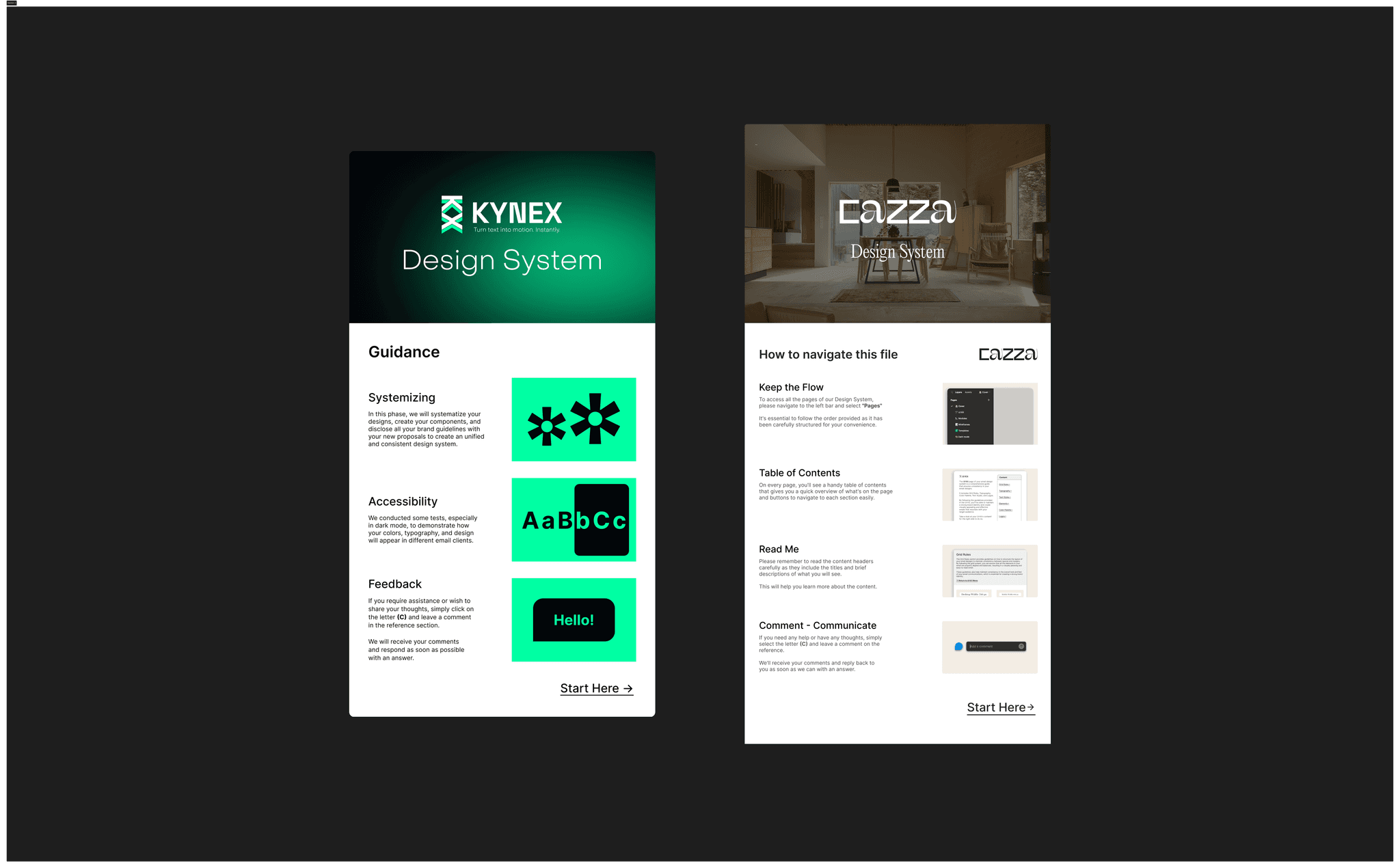
Design systems become clearer when you see how they adapt to different brands and lifecycle needs. Below are two examples that show how the same system principles support very different use cases.
Cazza email design system
Cazza represents a furniture and home decor brand with a strong visual identity. Its email design system emphasizes editorial layouts, imagery led storytelling, and consistent components, making it well suited for brands that mix promotion with inspiration.Kynex email design system
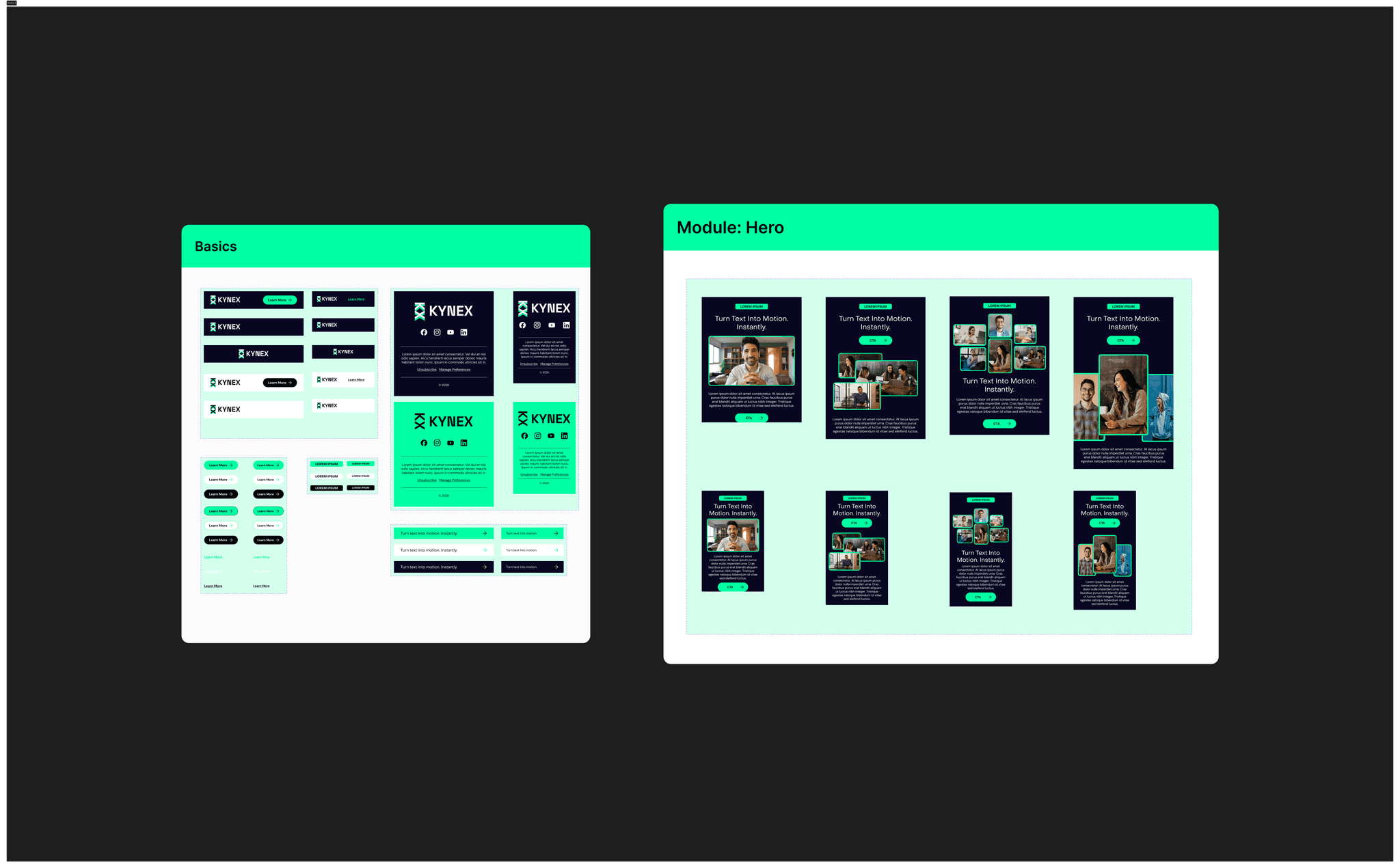
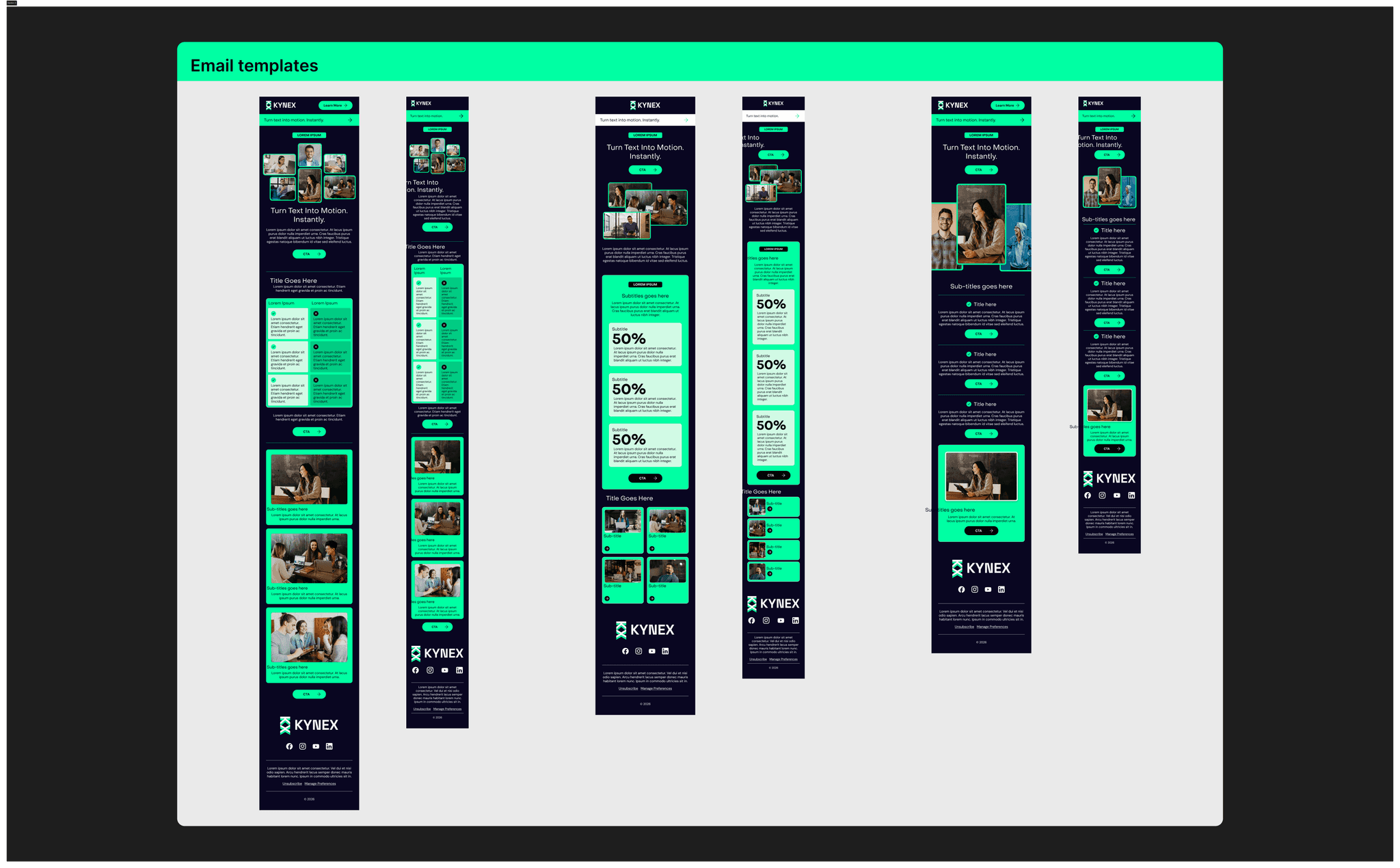
Kynex represents an AI product focused on video creation for presentations. Its system prioritizes clarity, hierarchy, and modular layouts designed for onboarding, feature education, and product updates. This approach works well for SaaS and product led lifecycle programs where speed and reuse matter.
Both systems follow the same core principles. Reusable components, documented rules, and layouts that map cleanly to ESP builds. What changes is how those components are assembled to support different brands and stages of the lifecycle.
How design systems support lifecycle testing
Design systems do not limit experimentation. They enable it.
When layouts and components are standardized, teams can test:
Content hierarchy
Offer framing
CTA copy
Image usage
Motion versus static elements
Because visual noise is reduced, results are easier to interpret and scale across flows. This is especially valuable for lifecycle programs that rely on incremental optimization.
Getting started with an email design system
If you are building a system from scratch:
Audit existing emails and identify repeated patterns
Define a small set of core components
Document usage rules clearly
Align design files with ESP modules
Iterate as new lifecycle use cases appear
A design system is not a one time project. It should evolve alongside your product, brand, and lifecycle strategy.
Summary
Design systems for email marketing are a force multiplier for lifecycle teams. They improve speed, consistency, and performance while reducing friction between design and execution.
When done well, a design system becomes invisible to subscribers and invaluable to the teams behind the scenes. It allows lifecycle marketers to spend less time rebuilding emails and more time improving the customer experience.